WP Open Street Map
View on WordPress.orgScores higher than 39% of indexed plugins
About
Create easily maps with OpenStreetMap
Security History
What It Does
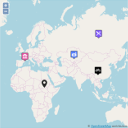
WP Open Street Map lets you embed OpenStreetMap-powered maps on WordPress sites without needing an API key from Google or Mapbox. You can drop markers, build custom layers, and create interactive maps through shortcodes and blocks. It is geared toward site owners who want to avoid ongoing mapping service fees.
Who It's For
This plugin fits small to mid-sized sites that need a cost-free mapping solution, such as local business directories, hiking guides, nonprofit location pages, and tourism sites. It works well for owners comfortable with shortcode-based configuration who do not need enterprise-level features. If you are already invested in the OpenStreetMap ecosystem and want a lightweight, key-free option, this is a reasonable choice.
Who Should Skip It
If you need a store locator with advanced filtering, geocoding, or turn-by-turn directions, look elsewhere: this plugin's feature set is comparatively thin. High-traffic sites needing proven stability at scale should also consider a more popular alternative given the low install base.
The Bottom Line
WP Open Street Map is a niche, actively maintained plugin that delivers exactly what its name promises: simple, key-free OpenStreetMap integration. The trade-off is a small user base and limited support history, so teams needing strong documentation, proven scale, or advanced features will be better served by WP Go Maps or Leaflet Map. For a budget-conscious site owner with straightforward mapping needs, it is a credible pick at a 74.77/100 overall quality score.
Related Plugins
Pick this if you want a battle-tested plugin with 300,000 installs, multiple map providers, and a mature store locator.
Choose this when you want a clean Leaflet-based plugin backed by 30,000 installs and a straightforward shortcode workflow.
Go with this if you need multi-provider support including Mapbox alongside Google and OSM, plus directory-style listings.
Select this when your priority is displaying country, region, or continent-level interactive maps rather than street-level markers.
Pick this for a lightweight widget-only solution focused on Google Maps in sidebars and footers rather than full-page maps.