User Access Shortcodes
View on WordPress.orgScores higher than 30% of indexed plugins
About
The simplest way of controlling who sees what in your posts/pages. Restrict content to logged in users only (or guests, or by roles) with simple short …
What It Does
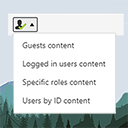
User Access Shortcodes lets you wrap WordPress post or page content inside simple shortcodes that hide or show text based on visitor status, such as logged in users, guests, or specific user roles. In practice, you drop a shortcode around a paragraph, and the plugin handles the conditional display without any custom code. It is a lightweight, shortcode-driven alternative to building a full membership system.
Who It's For
This plugin fits small sites that need basic content gating without the overhead of a membership platform, such as coaches sharing client-only notes, small publishers hiding download links from guests, or educators keeping lesson materials behind a login wall. It works well for sites that already have a login system in place and only need a way to slice up existing content by audience. It is best suited to projects where shortcode-level control is enough and per-user billing or drip content is not required.
Who Should Skip It
If you need recurring billing, course progression tracking, tiered subscriptions, or detailed access logs, you should skip this plugin and look at a dedicated LMS or membership solution like MemberPress or LearnDash. Developers who prefer PHP-based conditionals or block editor visibility rules will also find it too lightweight for their workflow.
The Bottom Line
User Access Shortcodes is a tidy, well-maintained tool that does one thing well: hiding or showing content via shortcodes based on login status or role. With only 1,000 installs and no public support history, it is a niche pick rather than a community standard, but the 98 percent user rating and recent updates make it a solid, low-risk choice. Use it for simple gating needs, but look elsewhere for full membership or course functionality.
Related Plugins
Pick User Role Editor when your real problem is managing what roles can do across the site rather than hiding individual content blocks.
Choose User Switching if you frequently need to test or impersonate other user accounts, which complements rather than replaces access shortcodes.
One User Avatar is the right pick when you want to let users upload profile pictures, a completely different feature area from access control.
Simple Local Avatars is a better fit than this plugin for sites that just need lightweight profile image uploads without a third-party service.
Manage Notification E-mails is the alternative to consider when your real friction is controlling WordPress transactional emails, not front-end content visibility.