Timeline Block For Gutenberg
View on WordPress.orgScores higher than 66% of indexed plugins
About
Showcase your company history, process steps, milestones, and roadmap inside Gutenberg using the powerful Timeline Block
What It Does
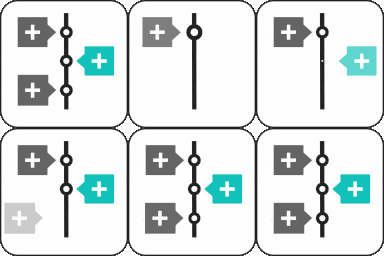
Timeline Block For Gutenberg adds a dedicated block to the WordPress block editor that lets you build vertical or horizontal timelines for displaying company history, project milestones, product launches, and process steps. Each timeline item accepts a heading, description, date, and icon, so you can assemble multi-step visual narratives without writing shortcodes or custom HTML. It is a single-purpose block, not a full page builder kit.
Who It's For
This plugin fits small businesses, agencies, and educators who want a clean, focused way to present chronological content (such as a company story, project roadmap, or event schedule) inside the native Gutenberg editor. It is also a reasonable pick for bloggers and startups that only need timeline functionality and do not want to install a larger block suite.
Who Should Skip It
If you already use a full-featured block plugin like Spectra, Kadence Blocks, or Starter Templates, you likely have a timeline or equivalent content block built in, so installing this on top is redundant. Sites that need animated, filterable, or data-driven timelines should also skip this plugin, since it does not include those advanced interactions.
The Bottom Line
Timeline Block For Gutenberg is a focused, well-maintained plugin that does one thing and does it cleanly, earning an overall quality score of 79.01 out of 100. Its lack of public support history is the main weakness, so buyers should be comfortable troubleshooting on their own or reaching out directly to the developer. For a site that only needs a timeline and nothing else, it is a solid, lightweight choice; for everyone else, a multi-block suite will usually be a better value.
Related Plugins
Pick Spectra if you want a timeline block plus dozens of other design blocks, templates, and pattern libraries from a single plugin with over a million installs.
Choose Kadence Blocks when you need timeline content alongside a broader set of layout, typography, and WooCommerce-focused blocks backed by an active support team.
Opt for Starter Templates if your priority is importing ready-made timeline pages and full site designs quickly rather than assembling timelines block by block.
Classic Widgets is unrelated to timelines and is listed for category context only, so it is not a real substitute for this plugin.
Pick PublishPress Blocks when your main need is controlling block visibility and permissions across roles, with timeline content as a secondary requirement.