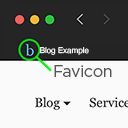
Site Favicon
View on WordPress.orgScores higher than 17% of indexed plugins
About
Add a favicon.
Security History
What It Does
Site Favicon is a lightweight WordPress plugin that lets you upload and set a favicon for your website, the small icon displayed in browser tabs and bookmarks. It handles a single, focused job: getting a custom favicon onto your site without editing theme files manually. The plugin works within the WordPress Customizer to manage the icon.
Who It's For
This plugin suits WordPress site owners on older installations (5.0+) who need a simple, no-frills way to set a favicon and do not want to touch code. It is well matched to small business sites, personal blogs, and portfolios where branding consistency in browser tabs is the only concern. Users who value a minimalist approach over feature-rich alternatives will appreciate the simplicity.
Who Should Skip It
Anyone running WordPress 4.6 or later, which has had native favicon support built in through the Customizer and Site Identity settings for nearly a decade, does not need this plugin. If you already use a favicon via your theme or WordPress core, installing this adds no value and creates an unnecessary dependency.
The Bottom Line
Site Favicon is a well-maintained, narrowly focused plugin that does one thing competently, but the 69.44/100 quality score reflects its limited scope and weak adoption. For most users, WordPress core's built-in Site Identity feature already handles favicons without an extra plugin, making this a niche choice rather than a must-have. It is worth considering only if you want a dedicated, isolated tool for favicon management and prefer not to use core settings.
Related Plugins
Pick this if you need multi-platform favicon generation covering iOS, Android, and various device sizes, with 200,000 installs backing its reliability.
Choose this when you need a full icon library across your site, not just a favicon, and want 400,000 installs worth of community trust.
Opt for this if you use the block editor and want to drop icons directly into pages and posts rather than just setting a browser tab favicon.
Select this if you build with Elementor and need 6,718 icons available within the page builder interface.
Choose this if you want to rotate or animate favicons, such as for special events, campaigns, or attention-grabbing tab animations.