One Click Close Comments
View on WordPress.orgScores higher than 8% of indexed plugins
About
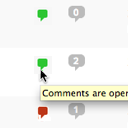
Conveniently close or open comments for a post or page with one click from the admin listing of posts.
Security History
What It Does
One Click Close Comments adds a simple toggle link in the WordPress admin post and page listings that lets you open or close comments on any item with a single click, without editing the post itself. It saves editors time when they need to quickly disable comments on older content, spam-heavy posts, or seasonal pieces. The plugin is intentionally lightweight, with no settings page and no bulk operations beyond the per-post toggles.
Who It's For
This plugin is best for editors, bloggers, and multi-author publications who frequently need to switch comment status on individual posts or pages without leaving the posts list. It suits sites that post time-sensitive content like news articles, promotional campaigns, or event coverage where commenting should end on a specific piece. It's also handy for small businesses that occasionally need to shut off comments on a single page when spam arrives.
Who Should Skip It
If your site already closes comments globally after a set number of days, or if you use a plugin that handles this automatically, you do not need this tool. Sites that simply want to disable comments sitewide should change the default discussion settings instead of installing a dedicated plugin for one-click toggling.
The Bottom Line
One Click Close Comments does exactly what its name promises, and the 98 out of 100 rating from its 10 raters suggests it does it well. The Overall Quality Score of 62.16 out of 100 reflects its narrow scope and small user base rather than any fault in the code itself. Install it if you regularly flip comments on and off for specific posts; skip it if a sitewide close-on-age rule would do the same job.
Related Plugins
Choose Akismet when your real problem is spam filtering rather than toggling comment status on individual posts.
Loginizer is the better pick if your comment spam comes from bot logins or brute-force attacks on your site.
Antispam Bee suits sites that want a free, privacy-friendly spam filter that runs entirely on their own server.
Redux Framework is unrelated to comments; it is for developers building admin options panels and should not be considered an alternative here.
Pick Admin Menu Editor if you want to reorganize or restrict the WordPress admin menu for your editorial team rather than manage comment toggles.