Multiple Themes
View on WordPress.orgScores higher than 5% of indexed plugins
About
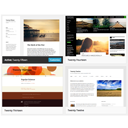
Select different Themes for one or more WordPress Pages, Posts or other non-Admin pages. Or Site Home.
What It Does
Multiple Themes lets you assign different WordPress themes to specific pages, posts, or your site's homepage, so a single WordPress installation can present visually distinct designs across its content. It works by hooking into the WordPress template loader to swap the active theme based on rules you configure per URL. The result is a multi-themed site without running a multisite network or maintaining separate installs.
Who It's For
This plugin is best for site owners who need genuinely different theme designs for different sections of one site, such as a real estate agency running distinct listing and corporate pages, a university with departmental microsites, or a franchise showcasing location-specific branding. It suits administrators comfortable editing PHP and managing theme files directly, since the configuration lives in a PHP settings file rather than a polished admin UI.
Who Should Skip It
If you only need minor style variations like colours, fonts, or header swaps, a page builder or theme options panel will be far simpler than swapping full themes. Anyone running WordPress multisite, or sites needing consistent branding and easy updates, should skip this plugin entirely, as the maintenance overhead and compatibility risks outweigh the benefit.
The Bottom Line
Multiple Themes solves a real but narrow problem: running several distinct theme designs on one WordPress site. The 94/100 user rating is impressive for a 10,000-install plugin, yet the near-zero support activity and overall quality score of 57.63/100 signal caution. Use it if you have a concrete need and PHP comfort, but test thoroughly on a staging site before going live.
Related Plugins
Pick this instead if you only need a developer tool to identify which theme file is rendering a page, not actually swap themes.
Pick this instead if you want a quick admin-bar indicator of the active template file for debugging and theme development.
Pick this instead if your goal is editing theme files directly from the dashboard rather than routing different pages to different themes.
Pick this instead if you want to build and export full site editing block themes instead of juggling legacy PHP themes per page.
Pick this instead if you want deep configuration options for a single theme family rather than switching between multiple themes.