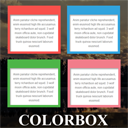
Colorbox Panels & Info Box
View on WordPress.orgScores higher than 2% of indexed plugins
About
Colorbox panels is the most easiest drag & drop icon box and content box builder for WordPress. You can add unlimited panels with unlimited colour …
What It Does
Colorbox Panels & Info Box is a drag and drop builder that lets you create icon boxes, info boxes, and content boxes with unlimited colour combinations for WordPress pages. It is aimed at users who want to add visually structured callout or feature panels without writing CSS. In practice, you build reusable box layouts that can be inserted into posts and pages via shortcodes or blocks.
Who It's For
This plugin fits small business owners, freelancers, and agencies who need quick, colourful info boxes for service pages, feature grids, or portfolio highlights without touching code. It works well for creative agencies, consultants, real estate agents, fitness studios, and similar service-based sites that rely on visual content blocks. Users who want pre-styled icon boxes with custom colours will get the most value.
Who Should Skip It
If you already use a full page builder like Elementor, Bricks, or Beaver Builder, you do not need this plugin since those tools include icon box and content box widgets out of the box. Developers who prefer writing their own CSS or working with Gutenberg core blocks will also find it unnecessary.
The Bottom Line
Colorbox Panels & Info Box delivers exactly what its name promises and earns strong user ratings despite a small install base. The biggest concerns are the absence of any support history and the missing PHP version requirement, which make it harder to trust in production environments. It is worth trying on a staging site if you need simple colourful boxes, but heavier sites should weigh it against CSSIgniter Shortcodes first.
Related Plugins
Pick this if you want a broader shortcode library beyond just info boxes, with 2,000 installs and a stronger 72.22 score.
Pick this if your main need is collapsible spoiler or toggle content rather than styled icon boxes.
Pick this if you want a different category of plugin focused on user navigation, not relevant unless you specifically need scroll-to-top behaviour.
Pick this if you want a more dedicated icon box plugin with 3,000 installs, though its 52.4 score is only marginally better than Colorbox.