CodeColorer
View on WordPress.orgScores higher than 43% of indexed plugins
About
Syntax highlighting for code snippets in posts, comments, and RSS, with inline code, themes, and line numbers.
Security History
What It Does
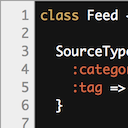
CodeColorer adds syntax highlighting to code blocks inside WordPress posts, pages, comments, and RSS feeds using shortcodes. It supports multiple languages, theme switching, line numbers, and inline code formatting, giving technical publishers a tidy way to present source code without manual HTML.
Who It's For
This is a good fit for bloggers, tutorial authors, course creators, and documentation maintainers who publish code-heavy content and want a lightweight, no-settings-needed highlighter. It works well on niche technical sites and developer community forums that need consistent code formatting in both posts and comment threads.
Who Should Skip It
Anyone running a large, JavaScript-heavy modern stack like Prism.js or the Crayon Syntax Highlighter ecosystem should skip this, since CodeColorer's install base and community footprint are tiny by comparison. If you rely on active support forums or want frequent feature updates, the lack of any open or resolved support threads is a warning sign.
The Bottom Line
CodeColorer is a competent, well-maintained syntax highlighter with strong ratings and modern WordPress compatibility, but its tiny install count and silent support channels make it a calculated choice rather than an obvious one. It is worth shortlisting for small, code-focused blogs that want a simple, themeable highlighter, while larger publication teams should weigh the lack of community momentum before committing.
Related Plugins
Pick Akismet instead if your real pain point is comment spam rather than displaying code, since it leads the WordPress ecosystem with 6 million installs.
Pick WPCode if you need to insert site-wide PHP, JS, or tracking snippets rather than highlight code snippets inside posts and comments.
Pick Code Snippets if you want to run reusable PHP functions across your site from a GUI rather than syntax-highlight code inside content.
Pick Antispam Bee if you need a free, privacy-friendly spam filter for comments and contact forms instead of code rendering features.
Pick Header Footer Code Manager if your goal is managing header and footer scripts with conditional logic rather than formatting code blocks.