Automatic Translator with Google Translate
View on WordPress.orgScores higher than 42% of indexed plugins
About
Translate your WordPress site with a polished Google Translate language switcher for instant visitor translation.
Security History
What It Does
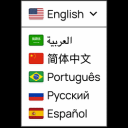
Automatic Translator with Google Translate adds a Google Translate-powered language switcher to your WordPress site, letting visitors translate page content into their preferred language on the fly. It uses Google's machine translation engine rather than producing SEO-friendly translated versions of your own content.
Who It's For
This plugin is a reasonable fit for small brochure sites, personal blogs, or landing pages where the goal is simply to give international visitors a quick gist of the content rather than a properly localized experience. It works well when budget is tight and full multilingual SEO is not a priority.
Who Should Skip It
If you run an ecommerce store, a content publisher that needs translated URLs and hreflang tags for SEO, or any site where translation quality and search visibility in other languages matter, skip this plugin. You should also avoid it if you need to edit translations manually, since the output is entirely controlled by Google's machine translator.
The Bottom Line
Automatic Translator with Google Translate is a small, actively maintained utility that does one narrow job well: drop a Google Translate widget onto your site so visitors can read content in another language. It is not a true multilingual plugin, and its 2,000 installs and 11 ratings make it hard to fully trust at scale, so larger or revenue-critical sites are better served by GTranslate or TranslatePress.
Related Plugins
Pick GTranslate if you want the same Google Translate approach but with vastly more installs (900,000), stronger SEO options, and a more battle-tested feature set.
Choose TranslatePress when you need a properly multilingual site with editable translations, SEO-friendly URLs, and AI-assisted translation, rather than a simple visitor-facing switcher.
Use Loco Translate if your goal is translating plugin and theme strings inside WordPress, not translating front-end content for visitors.
Consider Google Language Translator for a similarly simple Google-powered switcher with a much larger 100,000-install community and longer support track record.
Cyr-To-Lat is unrelated to translation in the visitor-facing sense, so reach for it only if you specifically need to transliterate Cyrillic slugs into Latin characters.